Skip to content
Offscout
Menu

4x4 roadbook recorder

Record your tracks and roadbooks as you drive

Offscout records your GPS track in the background and lets you drop roadbook waypoints with big, glove-friendly buttons. Every junction, danger and landmark, numbered and ready to export as GPX.

  • No account
  • Works offline
  • Data Not Collected
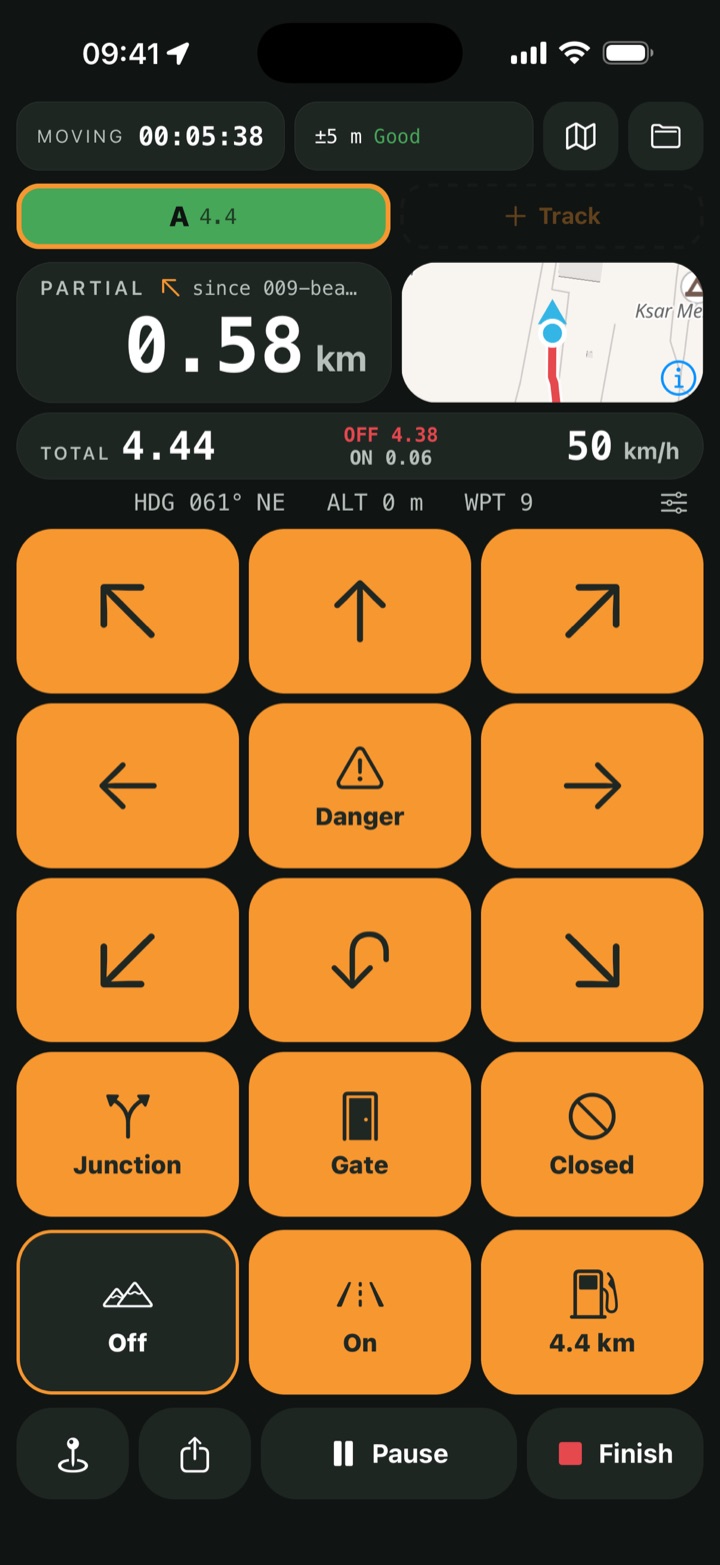
Offscout Trip Mode: partial distance, minimap and a grid of orange roadbook buttons

Features

Built for the cockpit and the handlebars

A dark screen, huge buttons and the numbers you need on a bumpy track.

Trip Mode with partial, total, speed and the roadbook button grid

001-trip-mode

Your digital roadbook

Trip Mode works like a classic tripmaster: a big partial counter that resets at every waypoint, total distance, speed, heading, altitude and a live minimap.

  • 2 to 6 rows of configurable buttons
  • Direction arrows laid out where they point
  • Fuel button with your range since the last fill-up
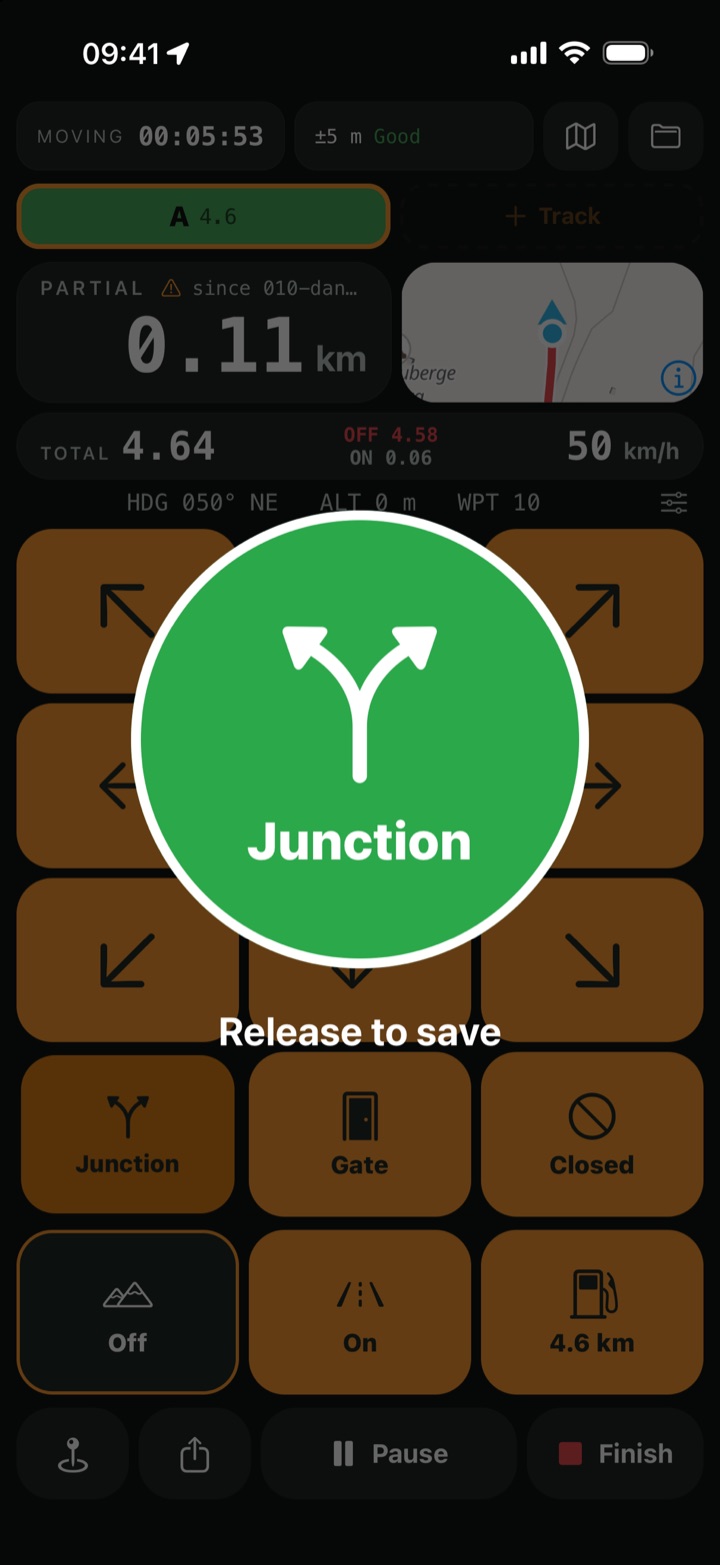
A waypoint being saved: a green circle with the icon and "Release to save"

002-hold-to-save

Hold to confirm

Hold a button and a ring fills around its icon. When it turns green, release to save. Let go before and nothing is saved.

  • No waypoint by mistake on a bumpy track
  • Icon and name shown big, so you know what you are saving
  • Danger in three levels: hold it again to raise it
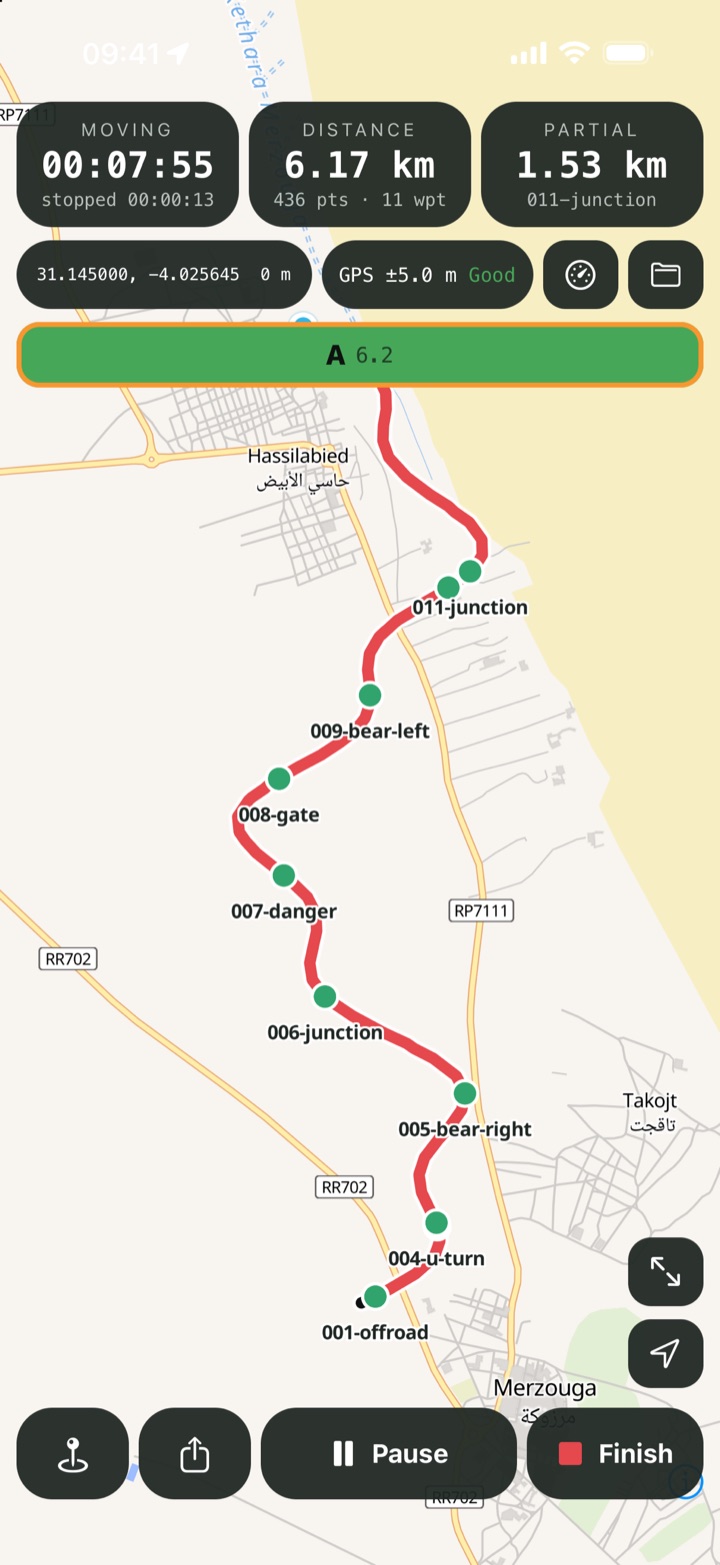
Map Mode with a red offroad track and numbered waypoints

003-offroad-onroad

Red offroad, black onroad

Mark where the asphalt ends and the piste begins with one button. The track turns red offroad and black onroad, on the map and in your GPX.

  • Kilometres offroad and onroad always on screen
  • Map Mode with your track, waypoints and position
  • Switch between Trip and Map without stopping the recording
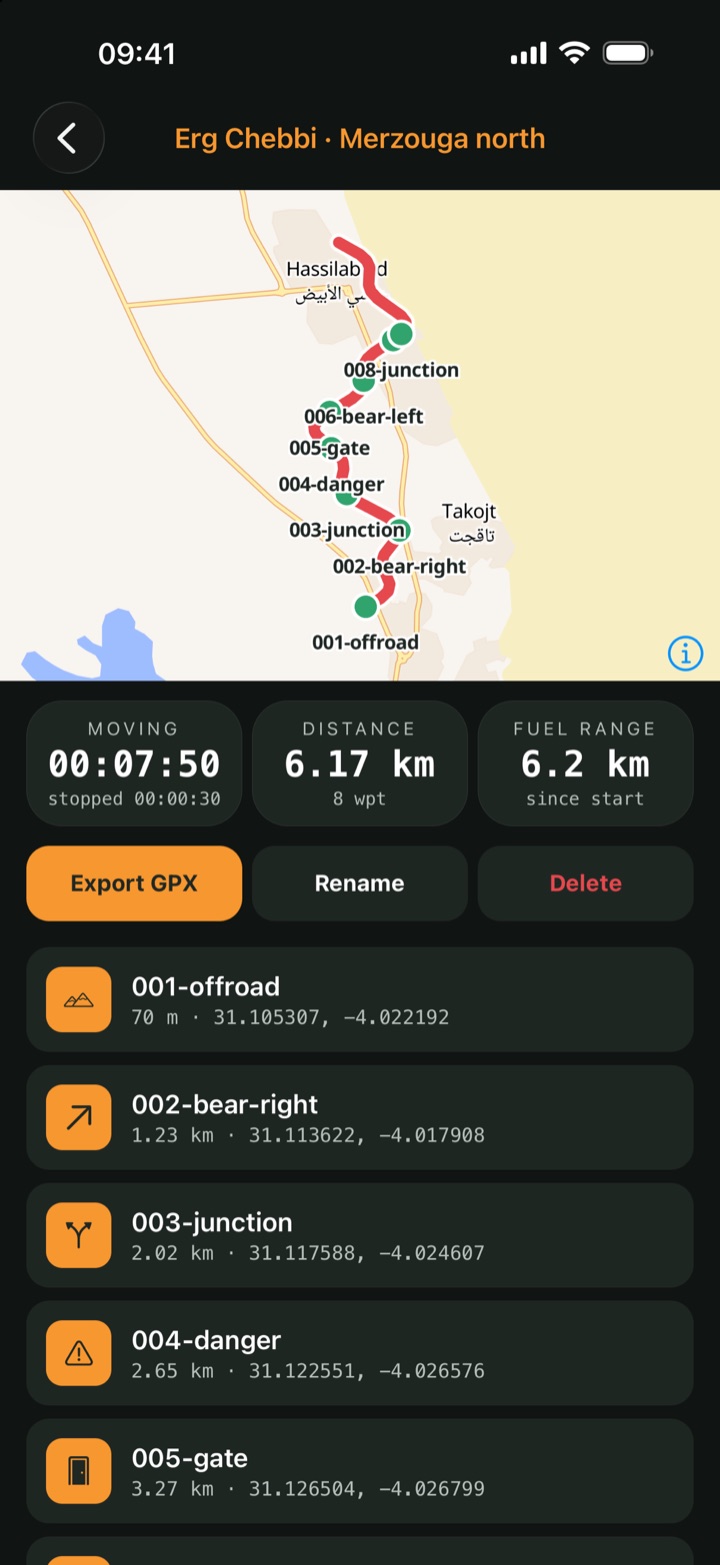
Scout detail with moving time, distance and the waypoint list

004-moving-time

Moving time, not just time

The clock only counts while you drive. Stopped, it turns amber and pulses, so you always know where the time went.

  • Moving and stopped time for every scout
  • Distance, points and every waypoint at a glance
  • Up to three tracks (A, B, C) per scout, for branches and alternatives
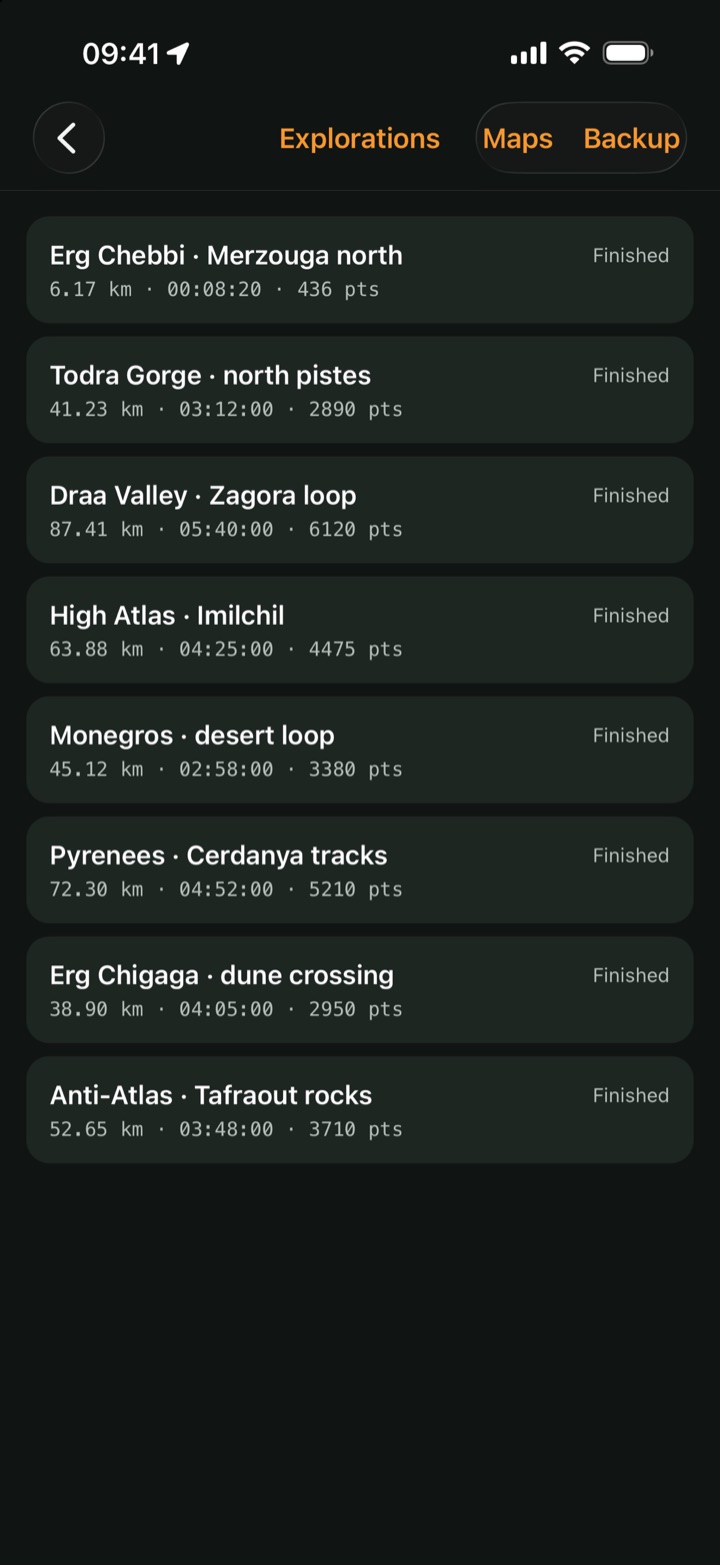
The library of saved scouts

005-offline

Offline first

Download map areas before you leave and record with no coverage at all. Every scout stays on your phone.

  • Offline map areas, named by region
  • Background recording for hours
  • Full backup and restore in a single file
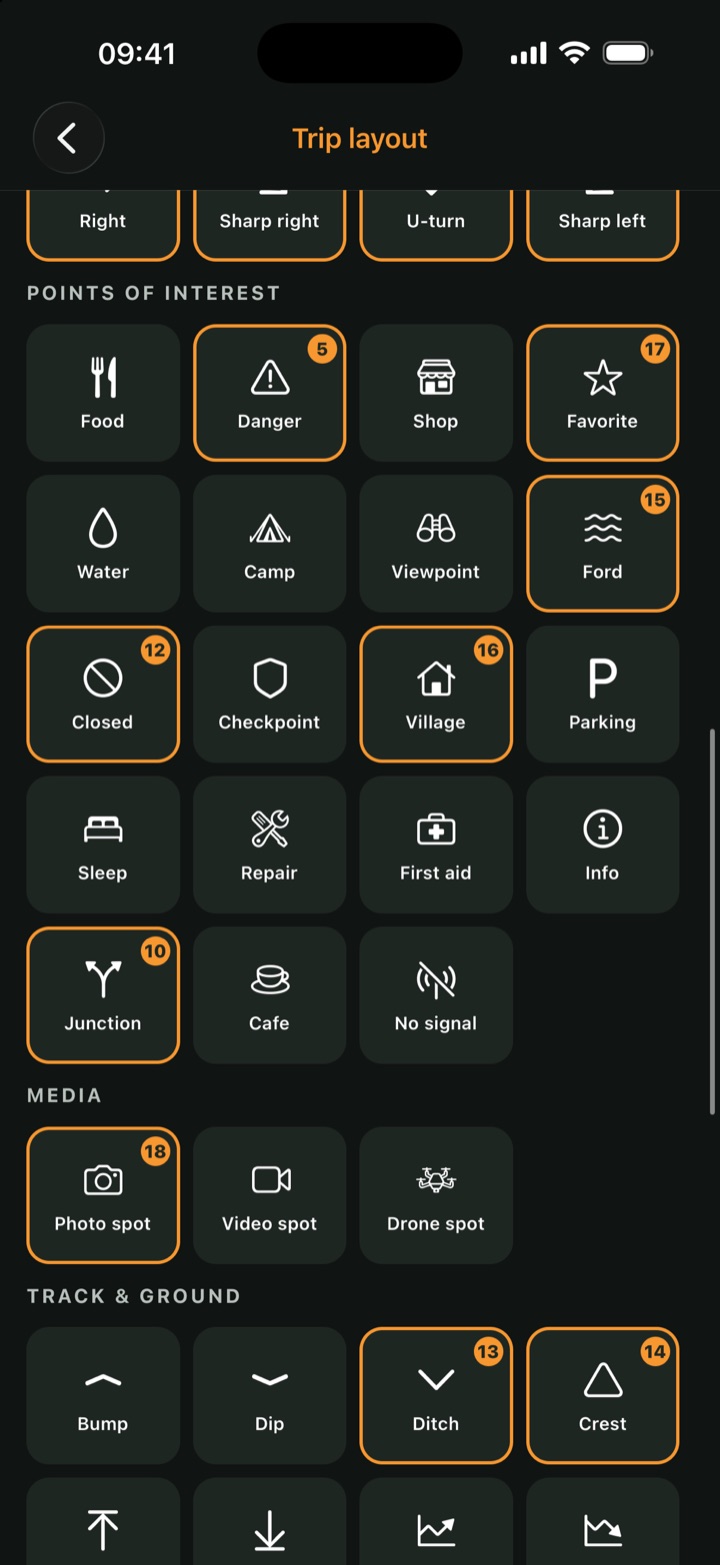
Choosing a roadbook icon for a Trip Mode button

006-your-layout

Your buttons, your layout

Choose from 60 roadbook icons and put each one where your hand expects it. One tap while paused to change a button.

  • Points of interest from the FIA cross-country lexicon
  • Photo, video and drone spots for media teams
  • A layout per device, with Reset to the default

Roadbook

One button for every note

Directions, junctions, gates, fords and dangers, with the names drivers and rally route makers already use. Each waypoint gets a number and a name, like 003-junction.

Bear left
Straight on
Bear right
Left
Right
Sharp left
Sharp right
Off
Danger
Junction
Gate
Closed
Ditch
Crest
Ford
Village
Favorite
Photo spot
U-turn
Fuel

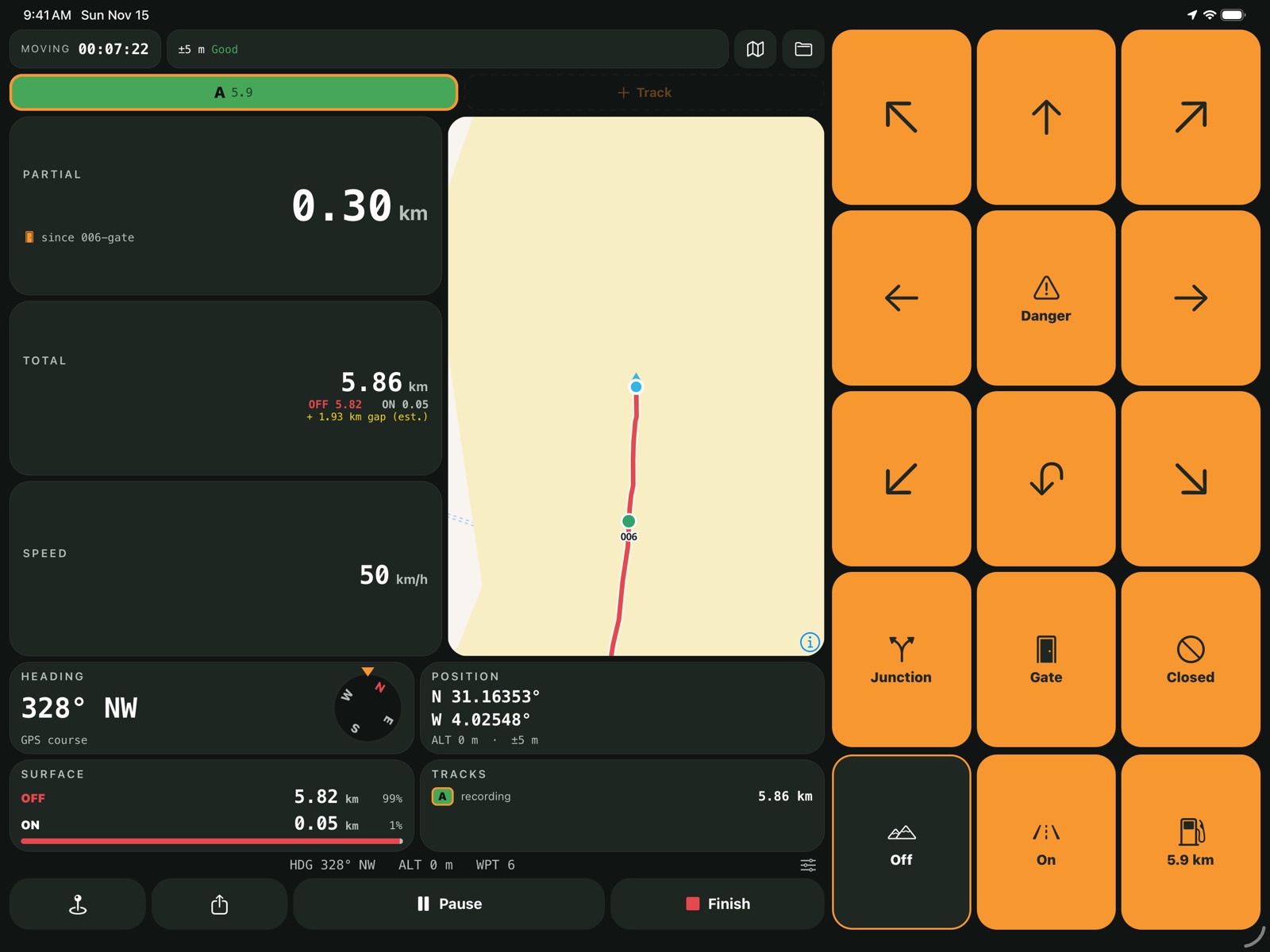
iPad

Every number on screen

On an iPad in the car mount, Trip Mode spreads out in landscape with optional cards for heading and compass, GPS position, surface and track status.

Trip Mode on iPad in landscape, with the button grid and data cards

Your next piste deserves a roadbook

Offscout for iPhone, iPad and Android. No account, no subscription, no ads.

Coming soon

Almost ready

Offscout is on its way to the App Store and Google Play. Leave your email and we will write to you once, the day it is out.

Your phone