Skip to content
Offscout
Menu

Web editor

Tidy up your scouts on a big screen

Upload a backup or a GPX from the app and clean it up on the computer before the next trip: trim, fix, join and export it back to your phone.

For now, accounts are by invitation. Ask for access and I will send you an invitation by email.

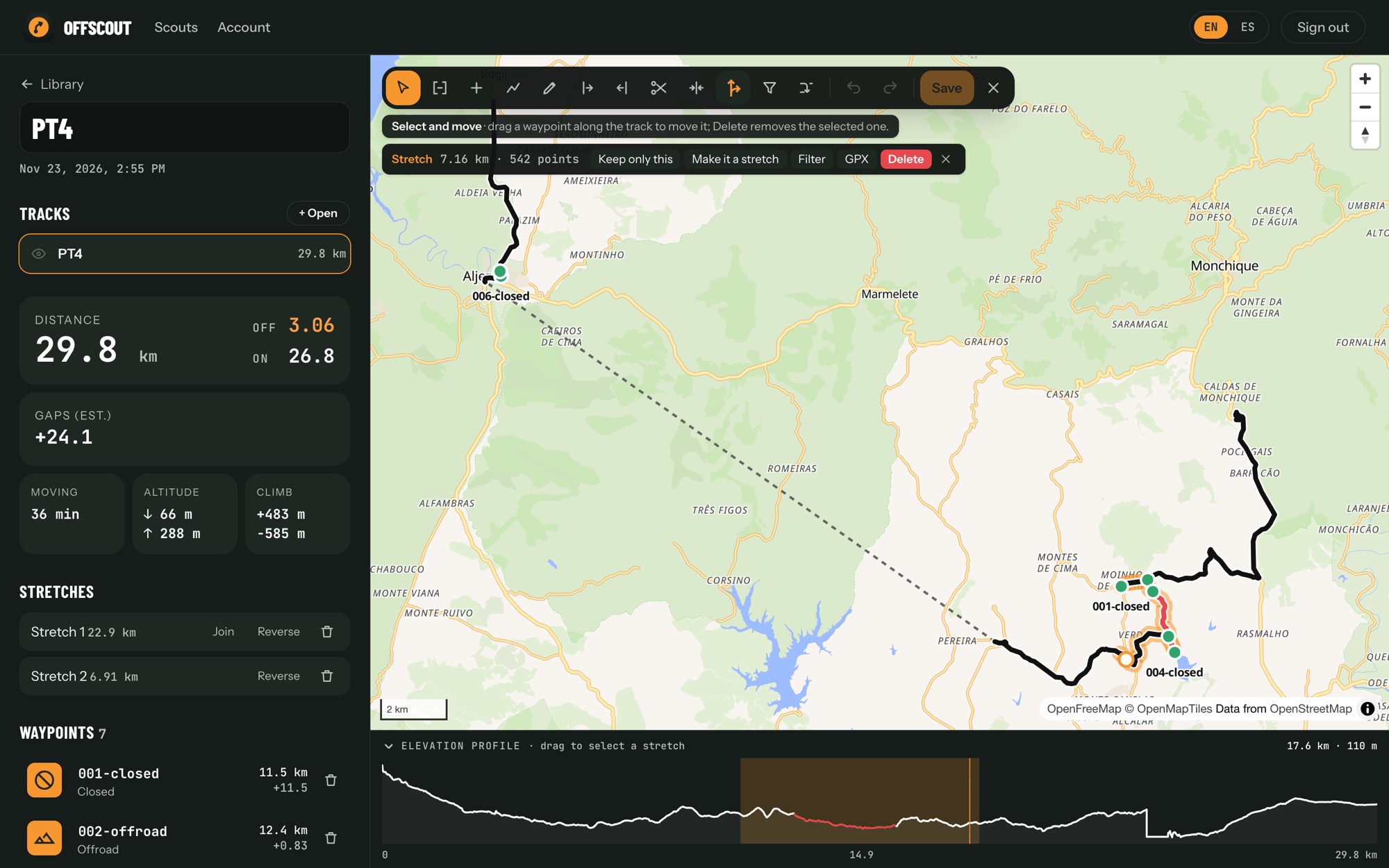
The Offscout web editor: a track in Portugal with a selected stretch, its actions, the elevation profile and the waypoint list

001-any-zoom

Edit points at any zoom

Zoomed out you see the key points that give the shape; zoom in and every point appears for fine tuning. Drag one and the track around it follows like a rubber band, with no spikes.

  • Move, add and delete points
  • Redraw a stretch by clicking the new path
  • Moved points keep their time and altitude
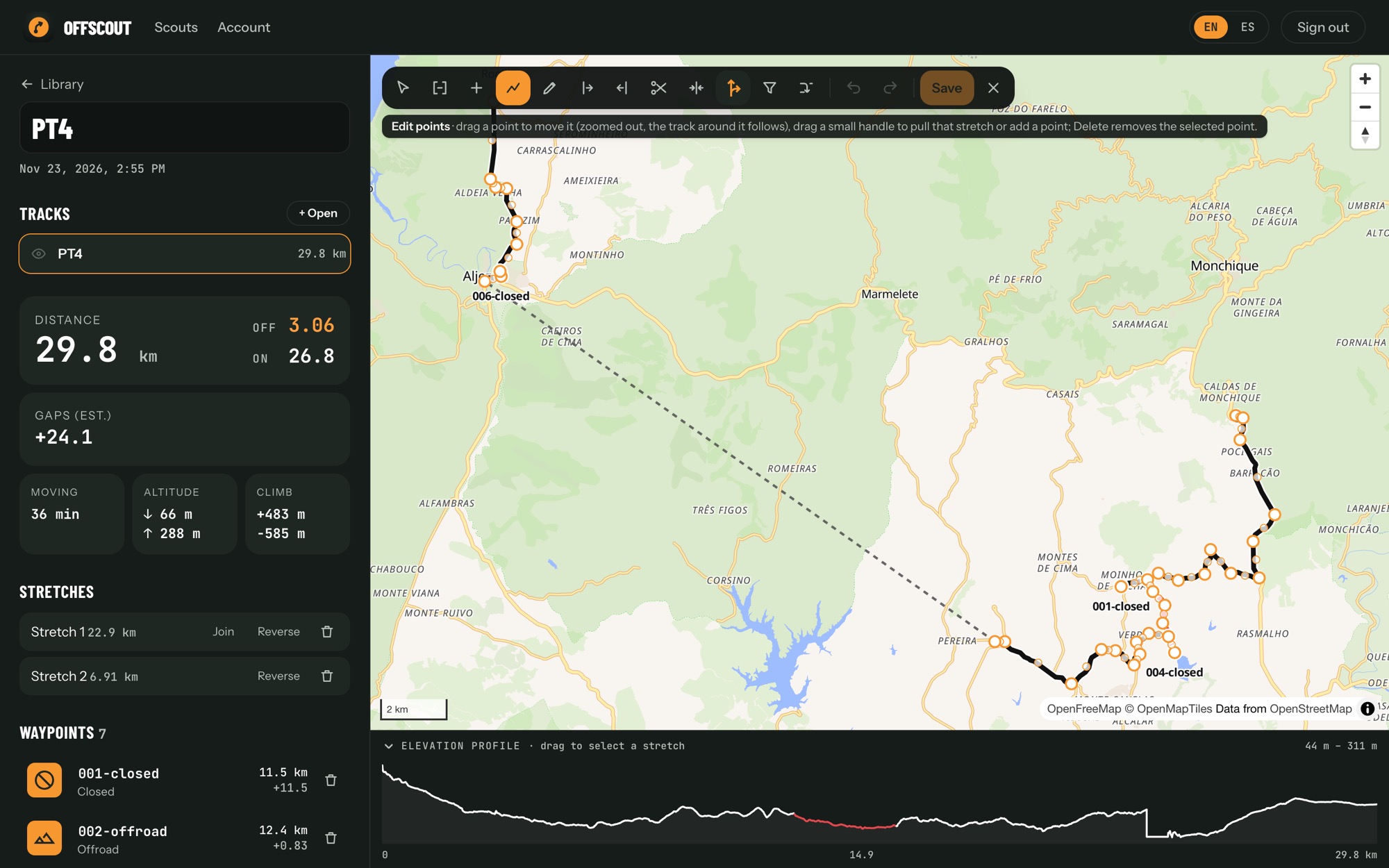
Editing the points of a track with the map zoomed out: orange handles on the key points

002-library

Every scout in one place

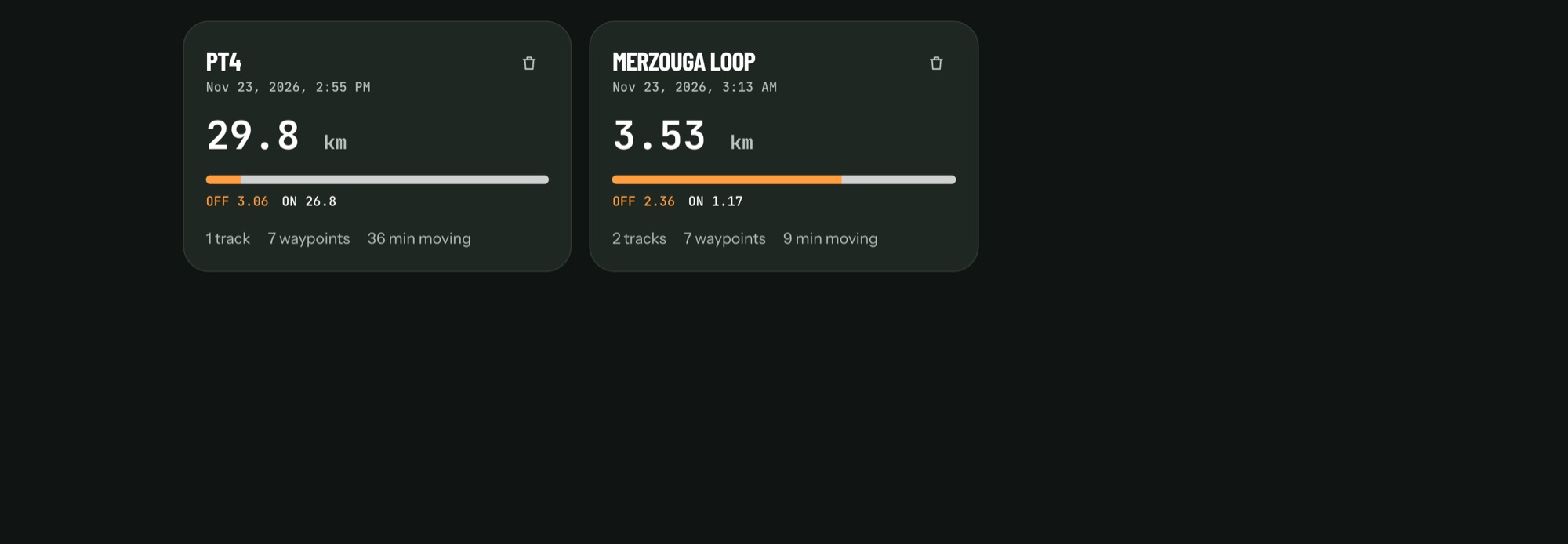
Your library shows every scout you upload with its distance, kilometres offroad and onroad, tracks, waypoints and moving time. Open several at once and edit one, then another.

  • Offscout backups and GPX from other apps
  • Several scouts open side by side, one undo for all
  • Join tracks, or move one to a scout of its own
The library of scouts in the web editor

Tools

Everything in the editor

  • Your scouts on the map

    Offroad in red and onroad in black, like in the app, with the waypoints, the kilometres of each surface and an elevation profile.

  • Trim and fix

    Trim the start or the end, cut a stretch, split or join stretches and reverse the ones driven the other way.

  • Fewer points

    Filter a track, or just one stretch, automatically or to a point every X metres, and see how many points go before applying.

  • Several tracks at once

    Open several scouts side by side, join a track after or before another, or move one to a scout of its own.

  • Undo and versions

    Every change can be undone until you save. The original upload and the last 20 saved versions are kept, and any of them comes back with one click.

  • Back to the app

    Export a GPX per track or a full Offscout backup, and open it in the app on your phone.

And a roadbook to print From any track: one box per waypoint with km, heading and a map, plus a summary page. A5, A4 or roll. See the roadbook →

Your data

Only what you upload

The app collects nothing and needs no account. The web editor is optional: it keeps only the scouts you upload to it.

Privacy of web accounts →
  • No tracking

    No analytics and no ads, in the editor and on this website.

  • Yours to take away

    Export any scout as GPX or backup, or all your data at once, whenever you want.

  • Delete it all

    Delete a scout or your whole account, and everything it held goes with it.

Want to try it?

For now, accounts are by invitation. Ask for access and I will send you an invitation by email.

Coming soon

Almost ready

Offscout is on its way to the App Store and Google Play. Leave your email and we will write to you once, the day it is out.

Your phone